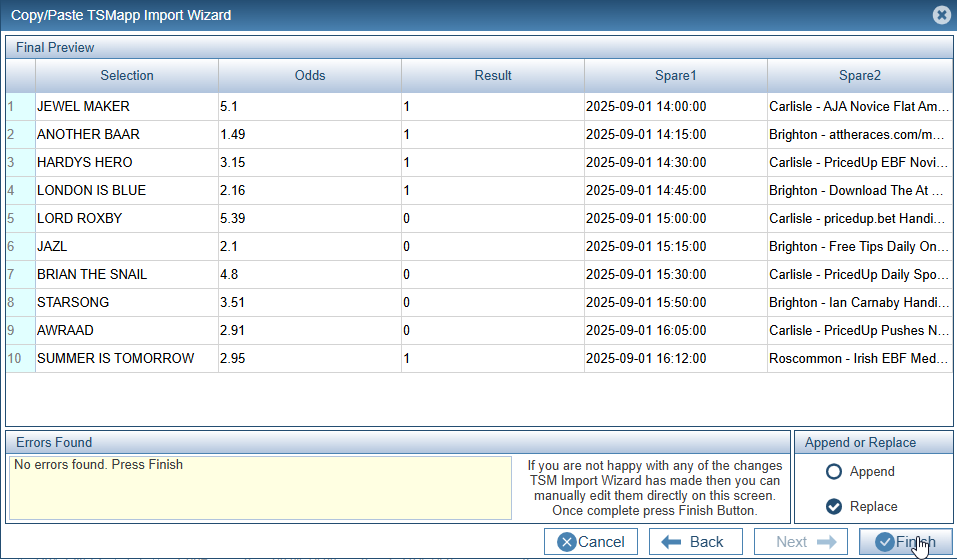
Using Different Region Settings
Decimal place settings vary globally, with many European countries using a comma (,) as the separator (e.g., 1,50 €) and English-speaking nations like the US and UK often using a dot (.) (e.g., £1.50),
Common Regional Patterns
•Decimal Point (.): Used in the United States, United Kingdom, Canada, Australia, China, India, and most of Asia.
•Decimal Comma (,):Common in most European countries (France, Germany, Spain, Italy, etc.), South America, and parts of Africa.
The same issue applies to delimiters where for CSV files those countries that use a decimal point will use a comma as a delimiter and countries that use a decimal comma will use a semi colon as a delimiter.
TSMapp will try to use whatever your Browser is set to.
This can cause issues if the data you are importing was created in the UK but you are trying to read the data whilst using French settings (and Vice Versa).
Solutions
1) Change the region settings in your browser to match the original data.
2) Change the original data to match your browser's current region settings.
3) Use the Import Wizard to correct the original data so that it matches your browser's current settings.
In this example, my browser (Chrome) is set to the UK Language. The data I am trying to load was a TSM file created using Swedish Settings. The process is identical if you are coming from the other direction. Simply change the delimiter and decimal point accordingly.
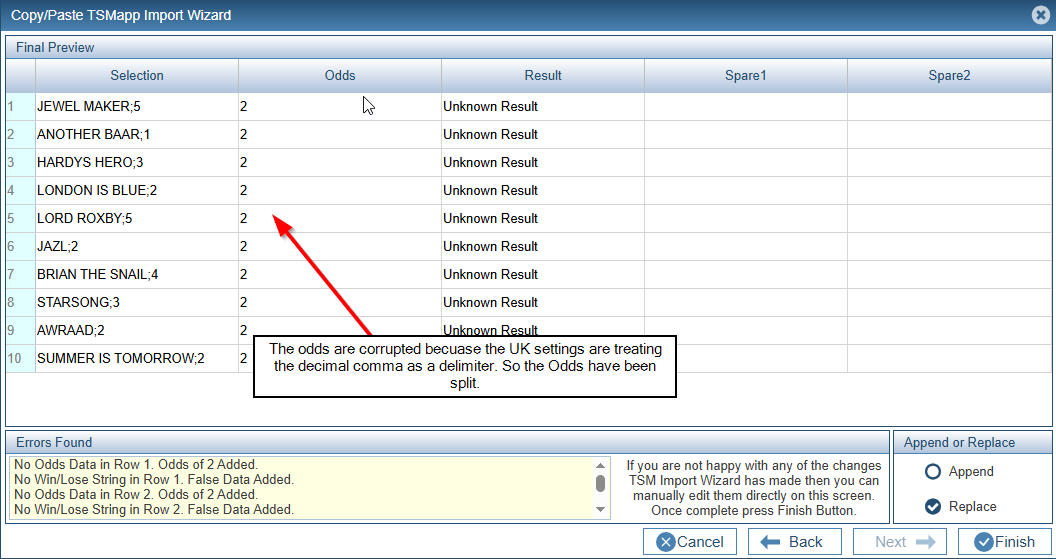
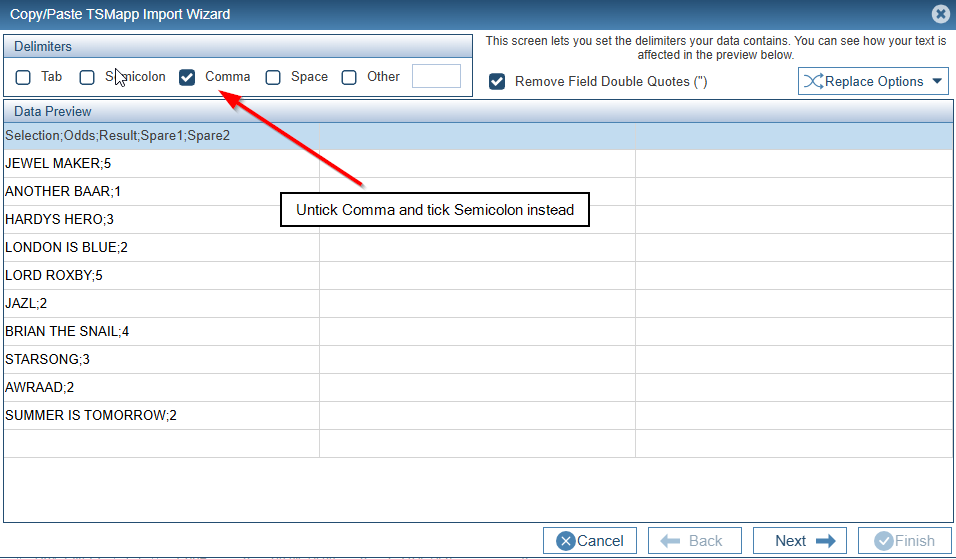
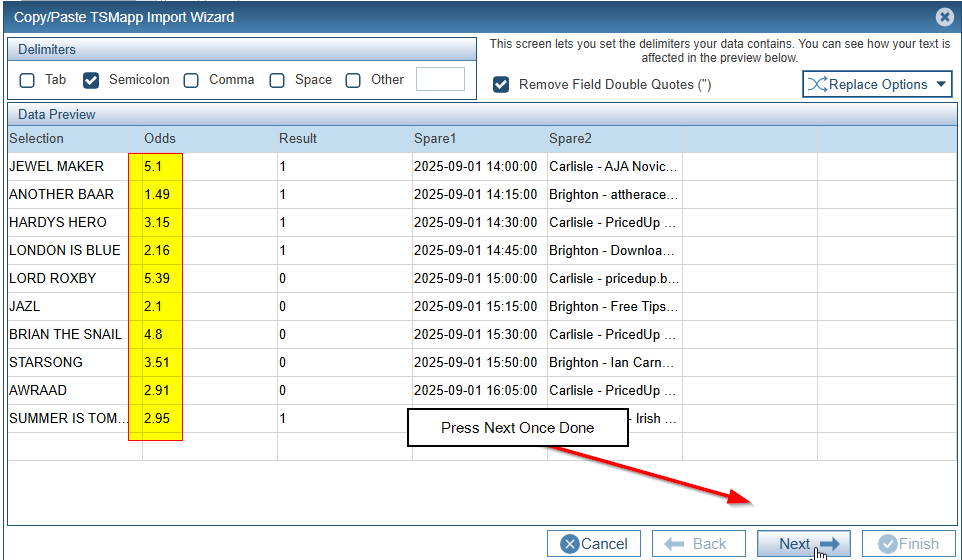
Press the Back Button until we get back to the initial Import Screen. Untick Comma and Tick Semicolon instead.
Now Replace all Decimal Commas with Decimal Points.
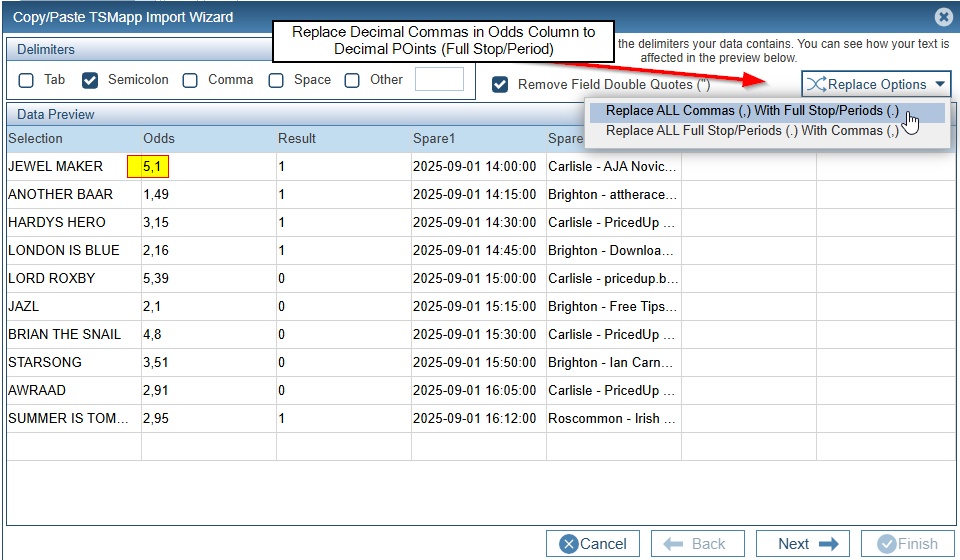
Press Next.
Align the Columns up and press Next.
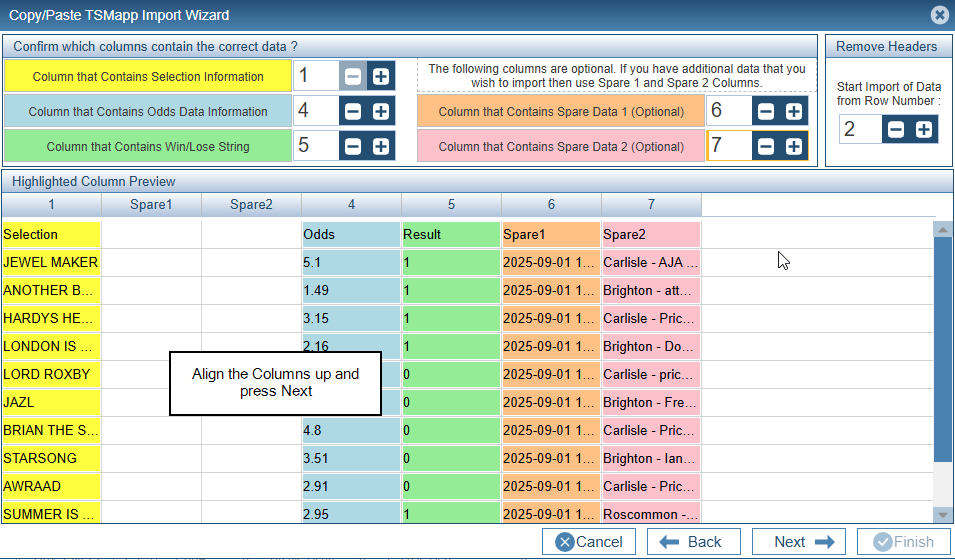
Press Finish to add the data to the Main Results Table.